

Collaborator Hub
Step-by-step instructions on how to build, index, and manage your climbing crags.
How To Index
01
Make sure you have permission to add indexes. On the route’s Overview page, you should appear as a Collaborator.
02
Open the route page in the app and press the “Index Route” button.
03
Stand facing the route about 2 meters away, in a spot where the user is expected to stand. Place the first bolt of the route inside the circle and take a photo.
04
Repeat the process from other possible spots where the user is expected to stand. You can add up to 4 indexes.
Want to get your crag on the map quickly? The absolute minimum required to publish a crag to the community is: Routes (Name + Grade) and an AI Index for each route. Once you have these, the crag is ready to scan!
-
Register: Download the First Bolt app and sign up as a regular user.
-
Get Upgraded: Tell us which crags you want to manage, and we will grant your account the 'Collaborator' permissions.
-
Once upgraded, check your Account page to see your new 'Collaborator' role. You will also now proudly appear as the official Crag Manager on your designated crag's Overview tab!

-
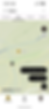
To update general crag info, go to the Overview tab and tap the 'Edit' buttons. To set the Crag's location or the Parking coordinates, switch to the Map tab.

Sectors must always be added in order from Left to Right. You only need to enter the sector name and specific shade hours (if they differ from the main crag). Tech Note: Our system automatically calculates the sector location on the map based on the average of your AI Indices.
Just like sectors, always add routes sequentially from Left to Right. A route's position in the app is mapped relative to the route on its left.
You can upload a photo of a single route or a wider shot capturing several routes side-by-side. Use our in-app drawing tool to trace the exact line over the rock face.



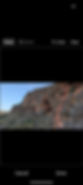
The "Index" is the baseline image our Computer Vision uses to recognize the route. If the index is captured incorrectly, the AI will fail to scan the route. Please follow these strict rules to ensure perfect recognition:
-
✅ Face it Directly: Stand completely straight in front of the route. NEVER shoot from a side angle!
-
✅ Natural Distance: Stand about 2 meters back, or exactly where a user would naturally stand to scan the wall.
-
✅ Multiple Stances: Is there more than one natural spot to stand? You can add up to 4 Index photos per route to cover all angles.
-
✅ Target the 1st Bolt: Make sure the actual first bolt is perfectly centered inside the targeting circle on your screen.
-
❌ Watch the Sun: Avoid direct sunlight hitting your camera lens. Sun flares destroy the visual data the AI needs to read the rock's texture.



-
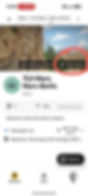
Got a question? Found a bug? As a Collaborator, you have a direct line to our core dev team.
We invite you to join our exclusive Collaborators' WhatsApp group! Connect directly with our dev team and fellow managers, stay updated on the latest app features, ask technical questions, and help us shape the future of the app.